Furilabs FLX1s
Luigi311 May 25, 2026 #Phones #Furilabs #Halium #Mobile Linux- Performance: 4/5
- Affordability: Great price for the hardware and support provided
- Compatibility: 3/5
- Battery Life: 5/5
Setup information
- OS: FuriOS 14.0.2
- Kernel: 4.19.325
- DE: Phosh
Introduction
The furilabs FLX1s is the sibling device of the FLX1. After the launch of the FLX1 devices they ran into issues trying to source more batches from their Original Design Manufacturer (ODM). They decided to continue moving forward and work with a new factory to design a new device from the ground up with the same SoC as the base. With the SoC being the same devices this allows them to continue development that benefits both the FLX1s and FLX1 devices with minimal changes thus providing a major benefit to existing FLX1 users.
The FLX1s dubbed the slim, is a more compact and easy to carry phone. The furilabs team were more involved with the design of this phone compared to the FLX1 so they targeted features that would have the most impact on the user experience and left out some feature that were less critical especially in the linux environment. Some of the differences are great for some users but could also be a potential deal breaker for others as such the differences are listed below as a table, if you want the full specs you can check out the official website.
The hardware switches are a nice addition to the phone and use a similar design to the librem 5 where they are positioned on the side and easy to use unlike the dip switches on the back of the pinephone that requires removal of the back panel. The lack of the removable battery and waterproofing is a bummer but I know the waterproofing itself causes issues due to the testing and certification process whenever changes need to be made. The reduction in screen resolution isn't to big of a deal to me and can actually bring with it better gpu performance in some cases like games and 90hz is still a big improvement over the 60hz that other linux phones have. The modems themselves also seem to support different bands due to firmware differences between the two ODMs with the FLX1s having more bands supported, hopefully this will make its way back to the FLX1 in the future. The shell quality is also a downgrade over the original FLX1 with it being a more brittle and plasticy feeling material though this can be remedied by utilizing a phone case.
| Feature | FLX1 | FLX1s (Slim) |
|---|---|---|
| Screen size | 6.59" | 6.7" |
| Resolution | 2412x1080 | 1600x720 |
| Refresh rate | 120hz | 90hz |
| Glass type | Gorilla Glass 5 | Asahi Dragontrail Glass |
| RAM | 6GB | 8GB |
| Rear Cameras | 50MP + 2MP | 20MP + 2MP |
| Front Camera | 16MP | 13MP |
| USB-C Port | 3.0 | 2.0 |
| Removable Back/Battery | Yes | No |
| Headphone Jack | Yes | No |
| Water protection | IP68 | Splash not certified |
| Privacy Kill Switches | No | Microphone, Camera, Modem/GPS |
| NFC | Yes | No |
| Fingerprint Sensor | Yes | No |
Hardware Supported
| Hardware | Supported |
|---|---|
| GPS ² |

|
| aGPS ¹ |
|
| Cameras |
|
| Microphone |
|
| Bluetooth |
|
| Modem |
|
| Accel/Tilt/Step/Wake |
|
| Orientation/Gyroscope |
|
| Light/Pressure |
|
| Proximity |
|
| NPU |
|
¹ Not hardware but important usability feature and is optional
² GPS seems to struggle finding a fix indoors
Some hardware is a grouping as those are all functions handled by a single sensor on the device and exposed as different metrics.
Cell Service
Cell service was tested in the US utilizing US Mobile MVNO, referral link, as it allows for easy testing of the 3 major US network providers. The only downside is the TMobile service has deprioritized download speeds so your speeds can be on the slower side like mine based on location and network traffic. Download/Upload speed tests were done using ookla speedtest.net and netflix fast.com with the data waster option enabled. As service seems to vary from moment to moment, I ran multiple tests and grabbed the best results for each section.
Light Speed (Tmobile) seems to work great without any issues. While the FLX1s does support the bands for 5g, the 5g connection in the US seems to be unstable and causes issues as a result I have disabled the 5g bands. I have seen reports that lots of people outside the US use 5g without any issues. Dark Star (AT&T) along with Warp (Verizon) do not work as the upstream carrier have blocks in place for phones that have not gone through their certification process, which furilabs as a small company has not had the resources to go through.
I use my JMP.Chat eSIM adapter and it works perfectly and even has a built in way to change profiles and add new profiles, it is clunky but it is enough to get the job done. It does not work with eSIM Manager, hopefully it will in the future or the built in app is improved as adding new profiles is a bit of a hassle.
US Mobile Light Speed (Tmobile)
| Phone | Tech | Speedtest down | Fast down | Fast up | VoLTE / VoNR |
|---|---|---|---|---|---|
| FLX1s | 4G | 15.3 Mbps | 11 Mbps | 5.5 Mbps |
|
| Pixel 6 | 5G | 53.8 Mbps | 45 Mbps | 30 Mbps |

|
| Pixel 6 | 4G | 81.9 Mbps | 65 Mbps | 12 Mbps |
|
Performance
The FLX1s is a fast phone in general. The Mediatek Dimensity 900 is fast especially compared to pinephone/pinephone pro/librem 5 devices. It comes with 8GB of RAM, which is a nice improvement over the FLX1 6GB, which comes in handy when having to rely on andromeda for some of your android apps. Web browsing and media playback are fast and smooth. Android container is fully supported with acceleration working well and the performance is great. There are some acceleration issues with flatpak qt6 based applications due to upstream QT flatpak gles issues. Flatpak qt5/gtk4 and native qt5/qt6/gtk4 are all accelerated and seem to be working without issues.
Compatibility
The FLX1s is a halium based device so it is limiting to what OS/DE you can run on it. Currently you can run both FuriOS and Ubuntu Touch, though FuriOS is the only one officially supported by the FuriLabs team. You won't be able to run any of the other mainline OS though like arch and postmarketos. For desktop environments (DE) you are also limited to Phosh on the phone and gnome for the desktop experience in FuriOS and Lomiri in the Ubuntu Touch port. GTK based applications seem to function the best while some QT based applications have issues such as acceleration and/or failing to launch but seems to be improving over time. The FLX1s also supports multiboot allowing you to install multiple OS side by side. This makes it simple to test new changes without breaking your main image or even testing out separate different OS as they are released. The app they created to manage this is bootman and once an OS is integrated with it then its as simple as telling it to create a new partition of X size and telling it what OS to flash onto the partition. It will then show up as a touch interface when turning the phone on to select what OS/Partition you want to boot into.
Android
Android support is amazing with lots of sensors passed through to the container, listed below. The android system is called Andromeda which forked off Waydroid and has made tons of improvements and updates to the base android system. You should be able to run most android applications without any issues except the usually culprits that have Integrity API (Safetynet replacement) like banking apps. Video playback works and I can confirm Grayjay works perfectly except the volume control gesture control. Android also integrated perfectly with the rest of the host OS with all your android applications showing up in the app drawer.
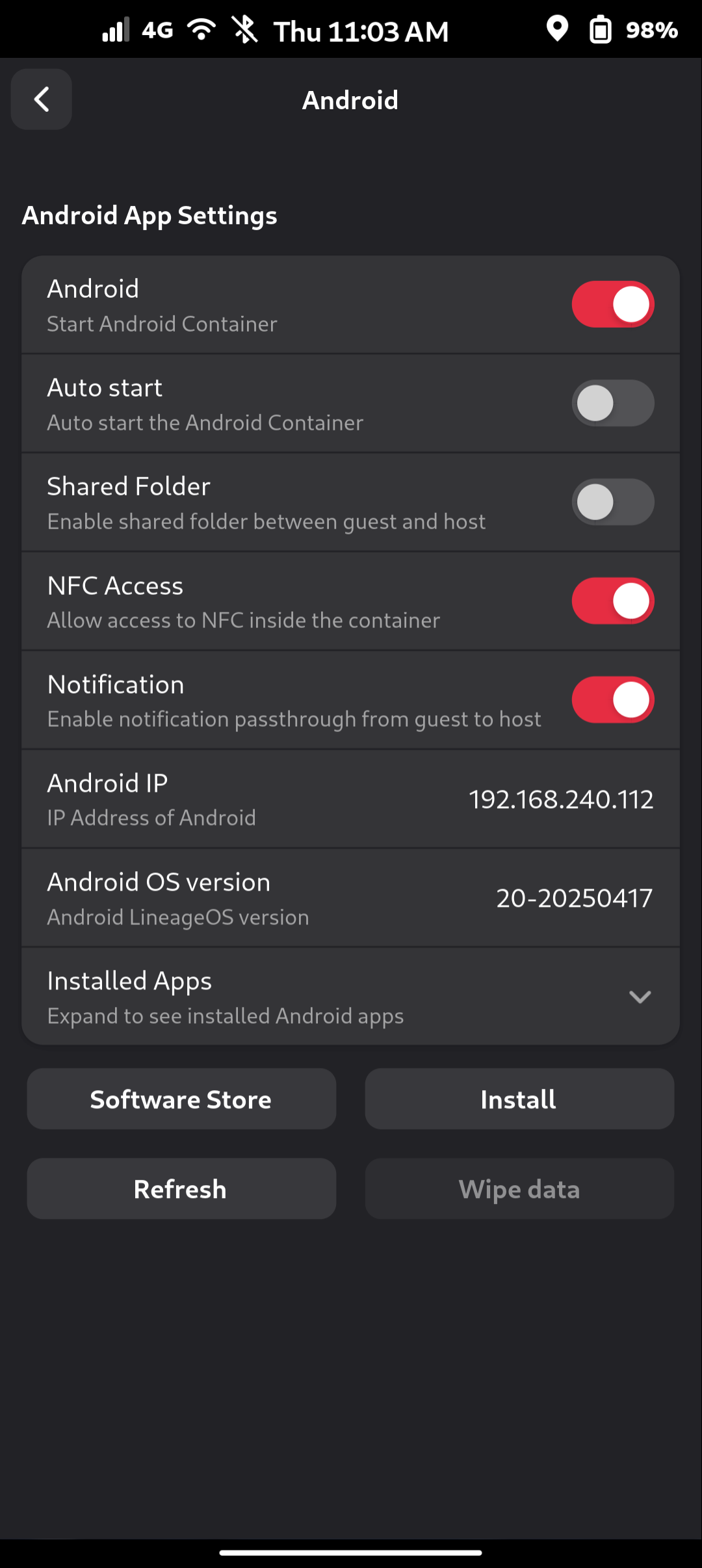
There is a gnome software plugin so you can search and install android apps from fdroid through the gnome software store as if it was a native application removing the need to manually open fdroid. There's a android section in the gnome settings that exposes a lot of android settings to the user as shown below. Enabling the Shared Folder setting allows you to have full access to files in both directions so you can take pictures within the linux environment and share them within android apps and vice versa, download files from android apps and access them within the host linux environment. On the host the android files are located under ~/Android and within android the host files are located under ~/Linux.
Sensors passed to Android
Tested using Sensors Toolbox app
| Sensor | Passed through |
|---|---|
| GPS |
|
| Cameras |
|
| Microphone |
|
| Bluetooth |
|
| Modem |
|
| Accelerometer |
|
| Geomagnetic |
|
| Orientation |
|
| Gyroscope |
|
| Light |
|
| Pressure |
|
| Proximity |
|
| Gravity |
|
| Linear Acceleration |
|
| Rotation Vector |
|
| Step Counter |
|
Docking
The FLX1s like the FLX1 does not support usb dp-alt mode but they are still able to utilize EVDI to get output externally. They have developed their own apps for handling their own DisplayLink hub that functions pretty well as a dock and phone holder. Along side that they have also developed a wireless casting app that allows you to cast videos directly to a miracast device for on the go movie watching. The FLX1s while it has usb 2 vs the original FLX1 usb 3 actually handles the dock better when it comes to adding peripherals due to the linux kernel weird issues/limitations with usb hubs and the usb 3 xhci protocols. I am able to connect the dock to my monitor/keyboard/mouse all through a level1tech kvm and it all seems to function correctly. Will write a separate blog going over the docking and convergence experience.
Web Browsing
Web browsing works really well. Firefox runs well and comes with a custom configuration similar to postmarketos mobile-config-firefox for a better experience on mobile screens. Benchmarking results with speedometer 3.1 and webgl aquarium test with scale set to 100% are below. The aquarium test shows every fish count preset to show how the fps scales with the number of fishes.
Based on results I would recommend sticking with firefox. If you do have andromeda running in the background then running android firefox in it is also a great option as performance is amazing and it scales perfectly since its mobile first. Epiphany while having a nice mobile design, seems to suffer from some performance issues due to some webkit bugs that the FLX1s like the FLX1 runs into. Angelfish runs now unlike before but since it is qt6 it is missing hardware acceleration and also requires disabling the qt webengine sandbox due to chromium complaining about suid on bwrap.
| Browsers | Version | Toolkit | Install |
|---|---|---|---|
| Firefox | 1.149.0 | Gecko | Repo |
| Angelfish | 25.12.3 | Chromium | Flatpak |
| Epiphany | 50.4 | WebKit | Flatpak |
| Kumo | 1.7.2 | Webkit/servo | Flatpak |
| Andromeda Firefox | 150 | Gecko | Andromeda |
Speedometer 3.1
| Browser | Score |
|---|---|
| Firefox | 3.03 ± 0.089 |
| Angelfish | 2.59 ± 0.080 |
| Epiphany | 2.06 ± 0.088 |
| Kumo ¹ | N/A |
| Andromeda Firefox | 5.09 ± 0.16 |
¹ Fails to launch
WebGL Aquarium
Angelfish isn't hardware accelerated so no fishes for angelfish :'(
| Fish amount | Firefox | Epiphany | Andromeda Firefox |
|---|---|---|---|
| 100 | 59-66 ¹ | 27 | 90 |
| 500 | 51-59 ¹ | 24 | 90 |
| 1,000 | 45-50 ¹ | 21 | 85-90 ¹ |
| 5,000 | 25-28 | 10 | 40-44 |
| 10,000 | 17 | 6 | 25 |
| 15,000 | 12 | 4 | 18 |
| 20,000 | 10 | 3 | 14 |
| 25,000 | 8 | 3 | 11 |
| 30,000 | 7 | 2 | 9 |
¹ Estimated range as the fps seemed to fluctuate a lot while running making it hard to see actual numbers
Media Playback
Below is a table of different video codecs and their playback performance. The hardware has support for decoding h264/h265/vp9 and they are working on adding in the software support necessary. The best results for native seem to come from MPV/Celluloid/firefox so as long as you are using any of those performance should be fine and inline with each other.
Player Information
| Player | Version | Method |
|---|---|---|
| MPV | 0.41.0 | Repo |
| Clapper | 0.10.0 | Flatpak |
| Livi | 0.4.0 | Flatpak |
| Celluloid | 0.29-3 | Repo |
| Firefox | 1.149 | Repo |
| Andromeda Firefox | 150 | Andromeda |
H.264/AVC
| Player | 1080p@30 | 720p@30 |
|---|---|---|
| MPV |
|
|
| Clapper |
¹ |
|
| Livi |
|
|
| Celluloid |
|
|
| Firefox |
|
|
| Andromeda Firefox |
|
|
H.265/HEVC
| Player | 1080p@30 | 720p@30 |
|---|---|---|
| MPV |
|
|
| Clapper |
|
|
| Livi |
² |
² |
| Celluloid |
|
|
| Firefox |
|
|
| Andromeda Firefox |
|
|
AV1
| Player | 1080p@30 | 720p@30 |
|---|---|---|
| MPV |
|
|
| Clapper |
|
¹ |
| Livi |
|
|
| Celluloid |
|
|
| Firefox |
|
|
| Andromeda Firefox |
|
|
VP9
| Player | 1080p@30 | 720p@30 |
|---|---|---|
| MPV |
|
|
| Clapper |
|
|
| Livi |
² |
² |
| Celluloid |
|
|
| Firefox |
|
|
| Andromeda Firefox |
|
|
¹ While plays smoothly it seems to have a stutter like if frames are sometimes played out of order
² No video output at all
Camera
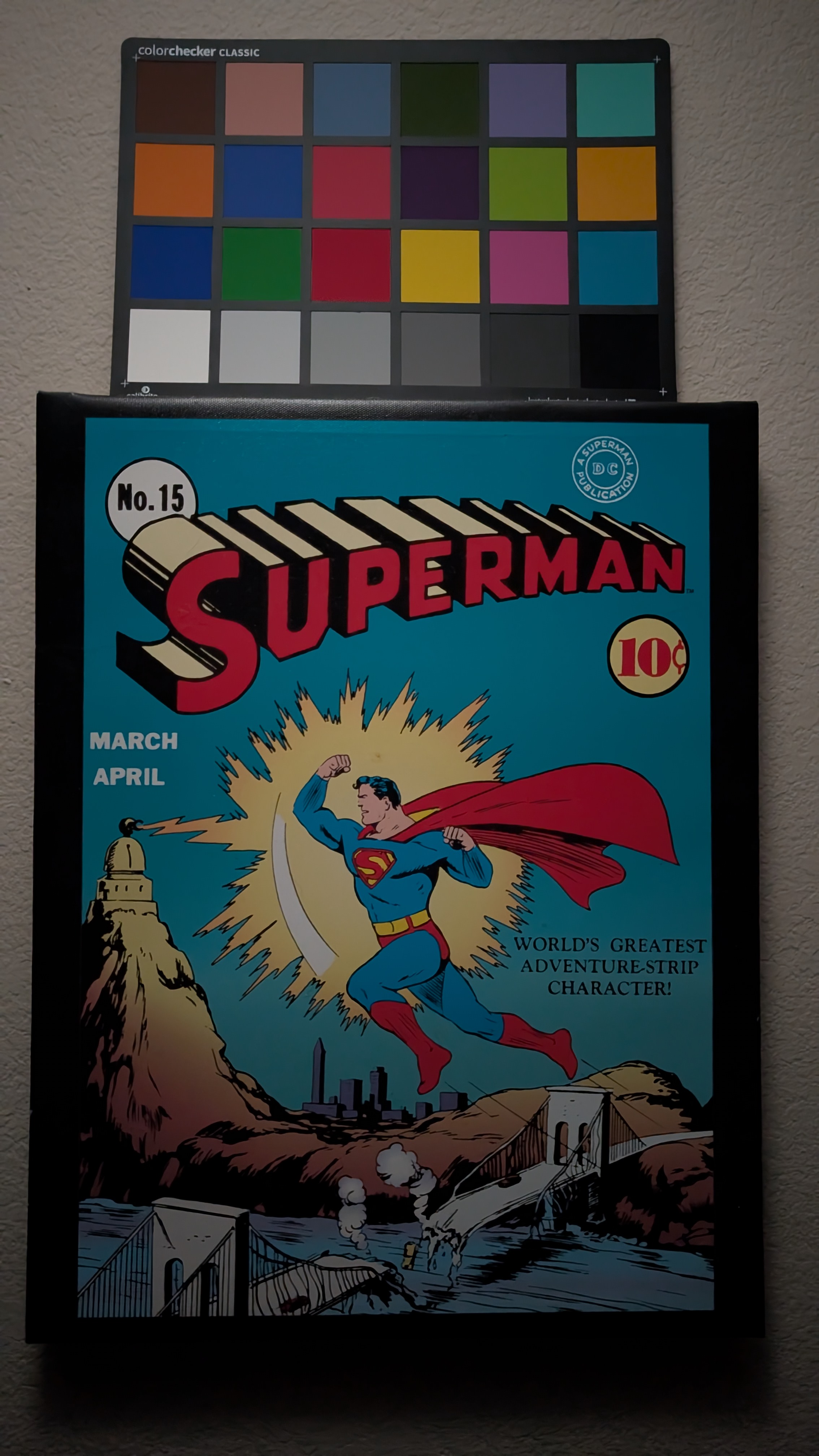
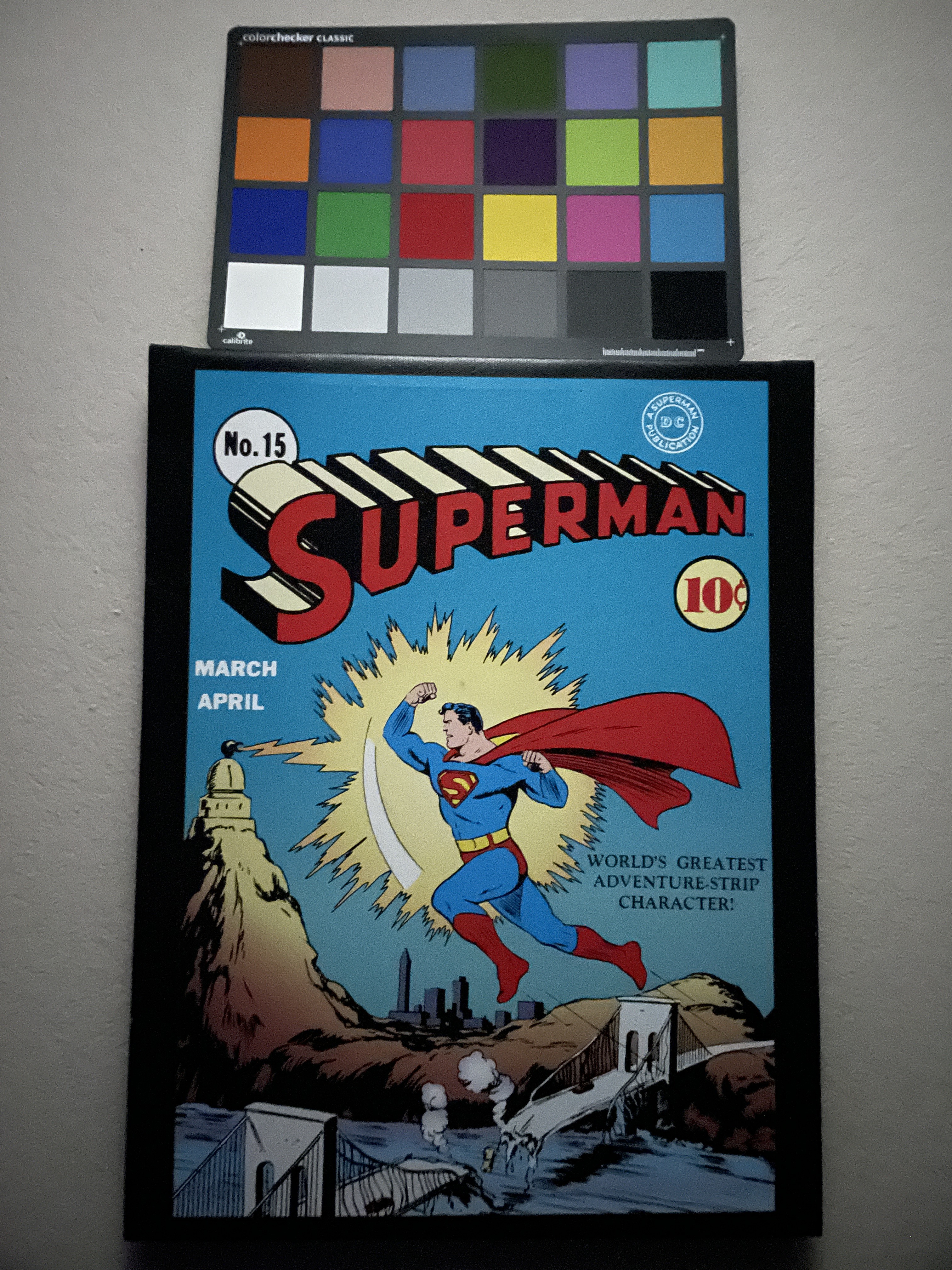
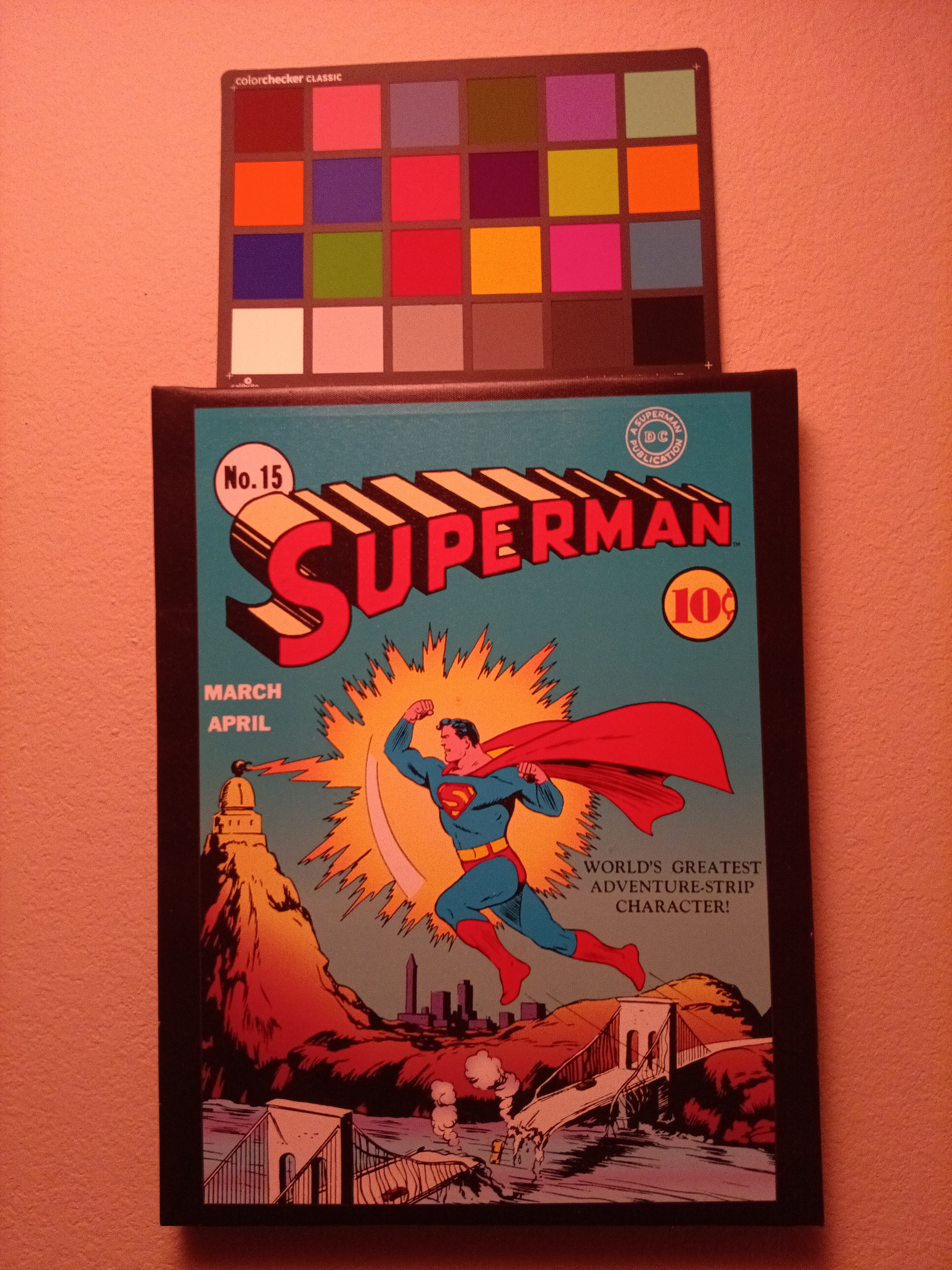
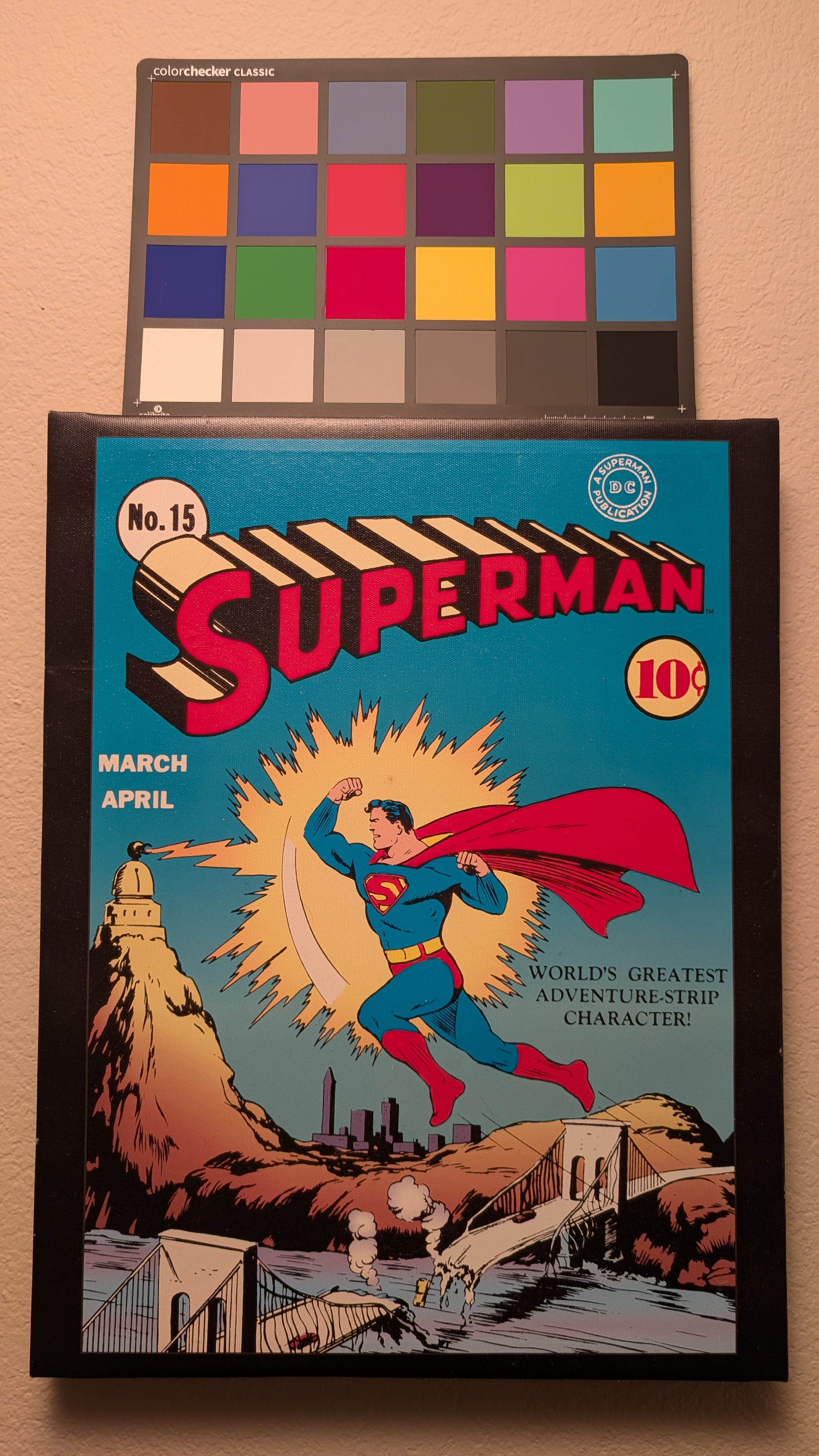
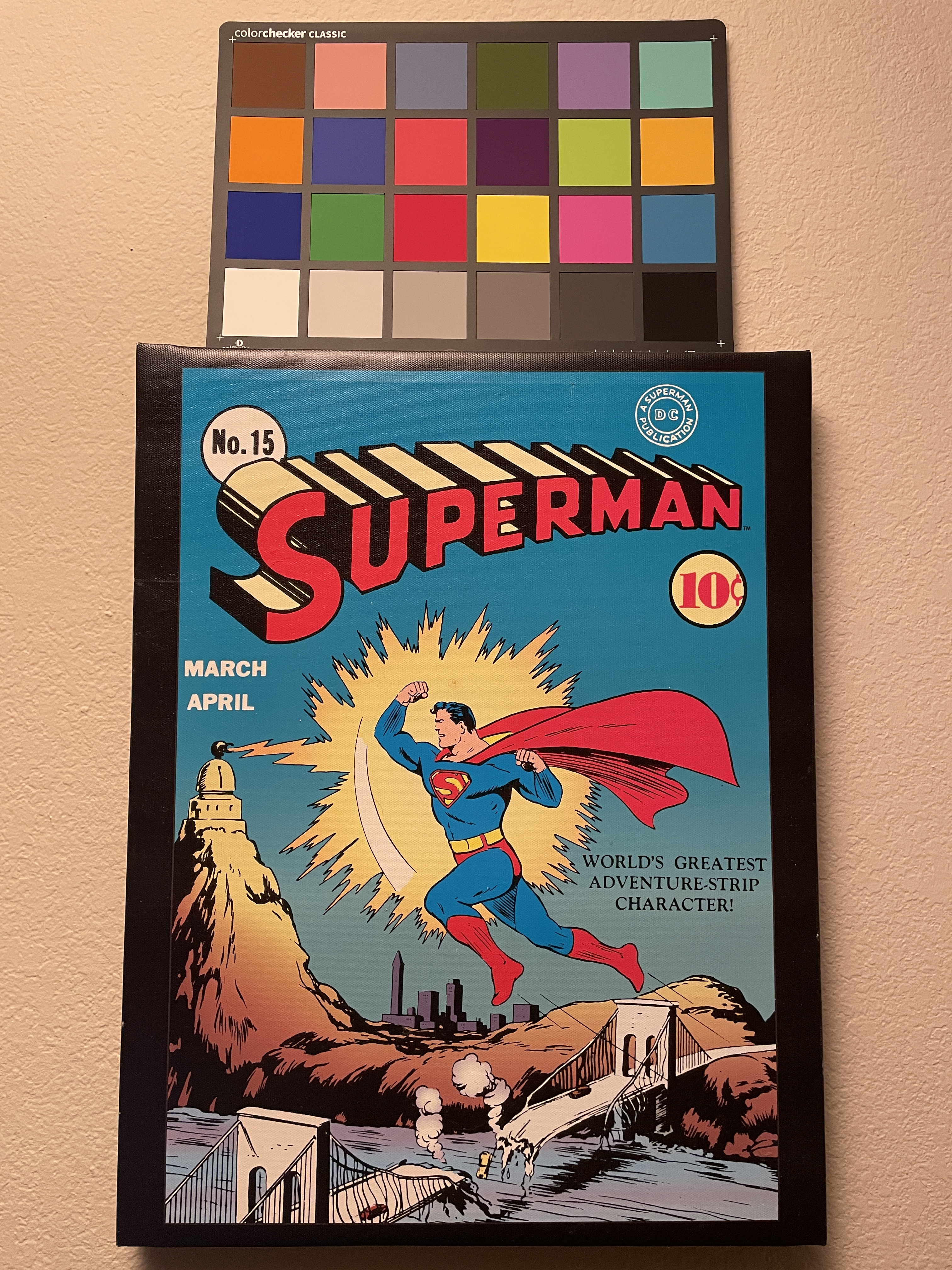
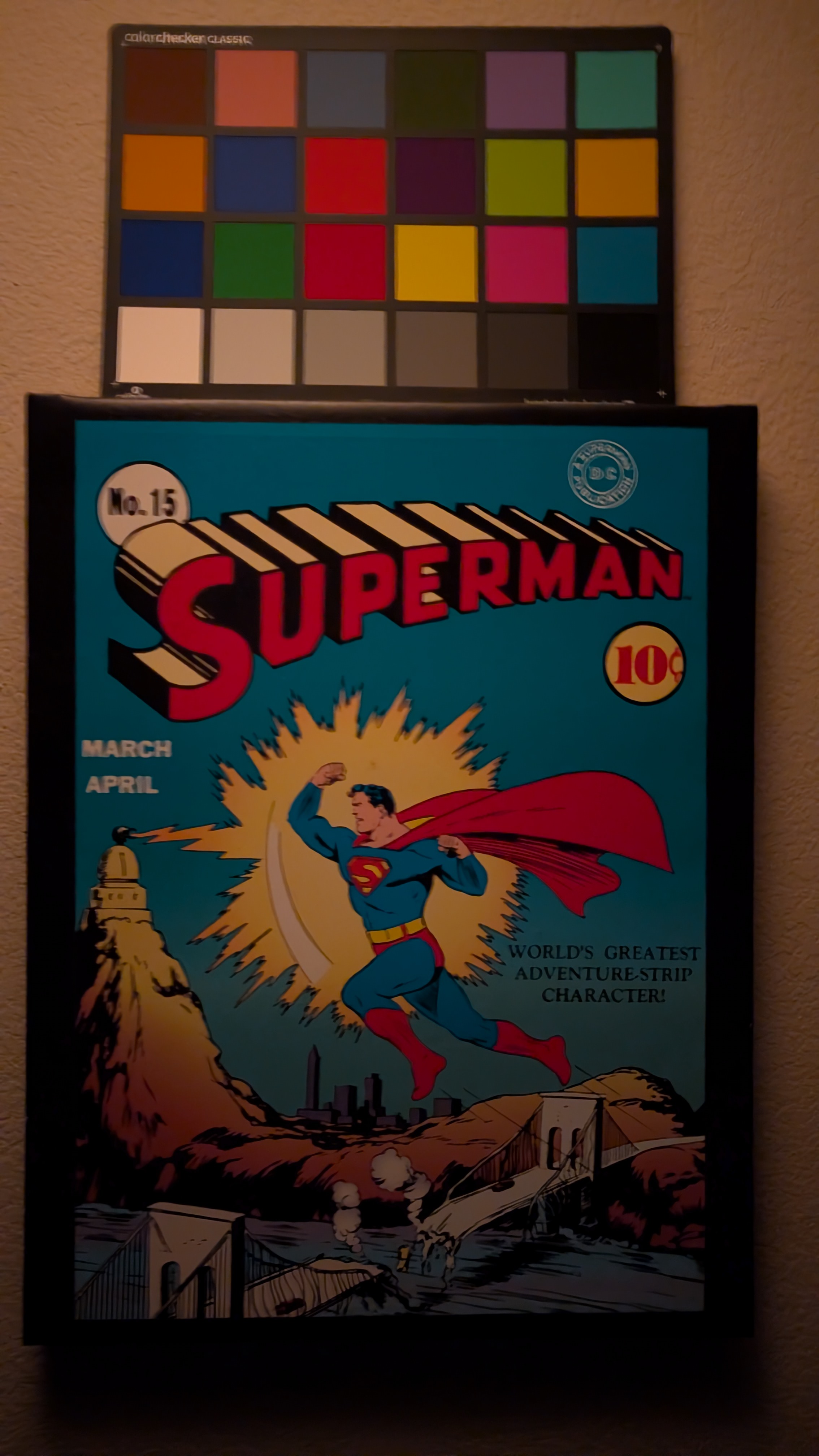
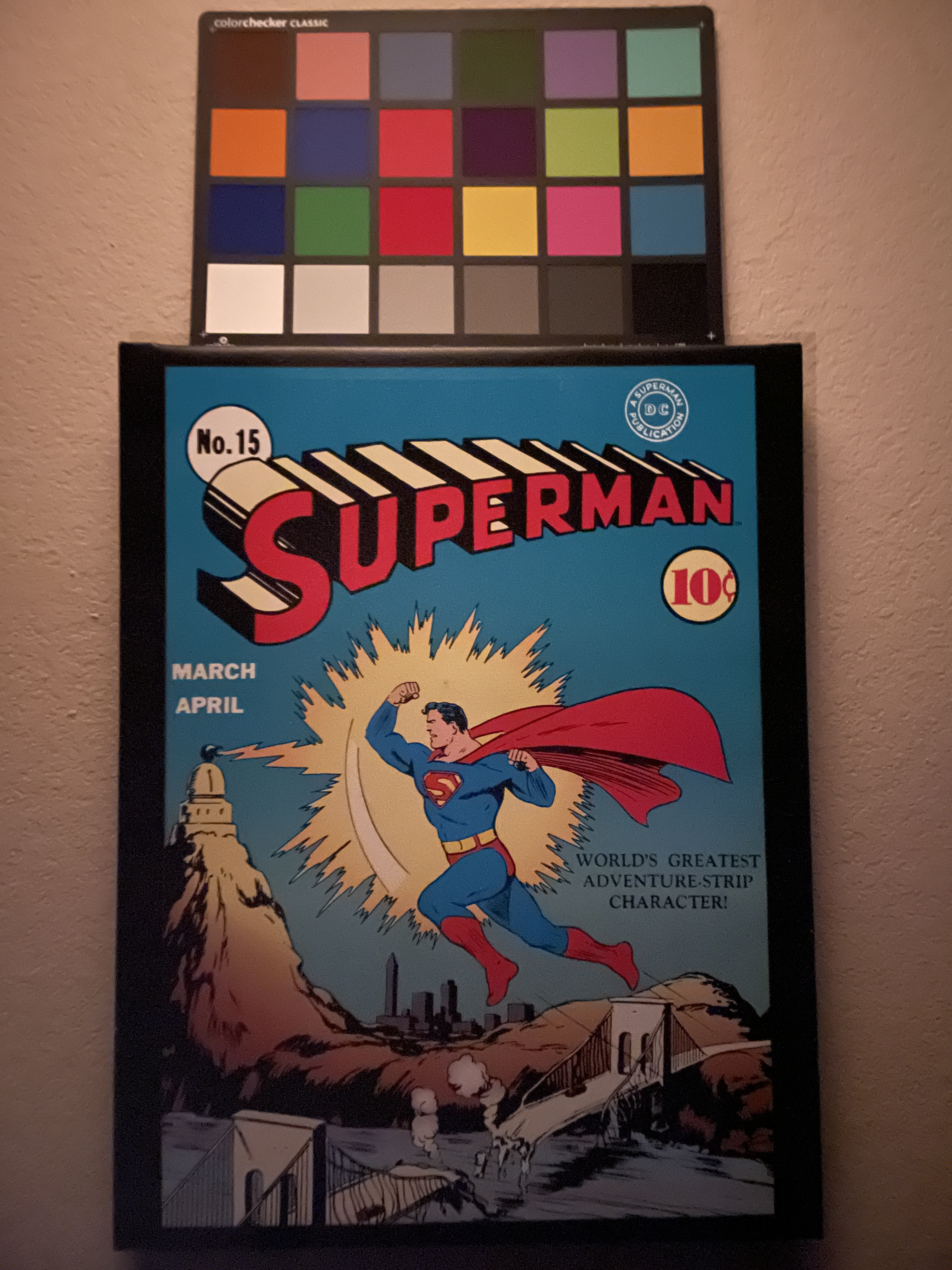
The phone does not support libcamera and megapixels like mainline linux phones. Instead it has it's own camera stack and exposes the cameras out via v4l, gstreamer, qcamera and pipewire. This allows it to be used universally by other applications. For example for video chatting through firefox. The camera application opens up quickly. It can also capture video with audio correctly in sync. The phone has 3 camera sensors and all them are supported and exposed individually. There is no advance mode to manually control WB, ISO, codec, etc but it does have tap to auto adjust the focus/white balence/iso/shutter. The auto WB and ISO/shutter though seem to struggle when brought to extremes. The while balance isn't able to compensate when brought down to 2500k and exhibits a really red tint throughout the entire image. In the dark it seems like it doesn't bring the shutter far enough either so the image ends up really dark especially compared to the other phones and compared to the FLX1. Hopefully these two issues can be worked on down the line. Even with those two issues though, this is still enough to compete with some of the other mainline phones as those are all missing one thing or another such as af and/or wb.
| Library | Supported |
|---|---|
| Libcamera |
|
| Droidmedia |
|
| CameraProvider |
|
| Abstraction Layer | Supported |
|---|---|
| LibMegapixels |
|
| v4l2 |
|
| Gstreamer |
|
| Qcamera |
|
| Pipewire |
|
Example
| Temp | Kelvin | Led |
|---|---|---|
| Normal | 5000k | B35AM |
| Low | 2500k | 519A 3500K dedome |
| Light | Description |
|---|---|
| Medium | Convoy S21B 3rd click, Emisar DW4 High Ramp |
| Low | Convoy S21B 1st click, Emisar DW4 Moonlight |
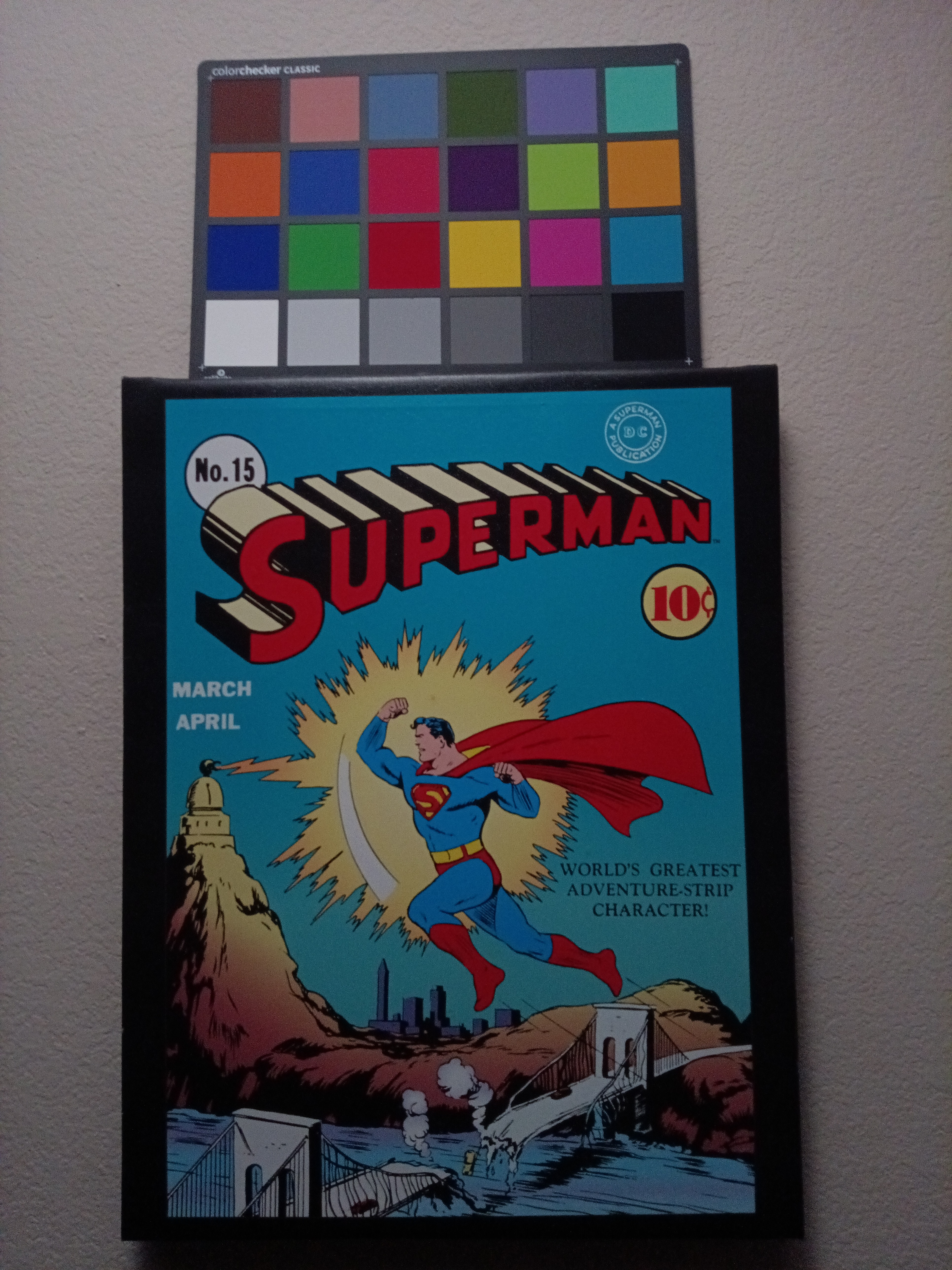
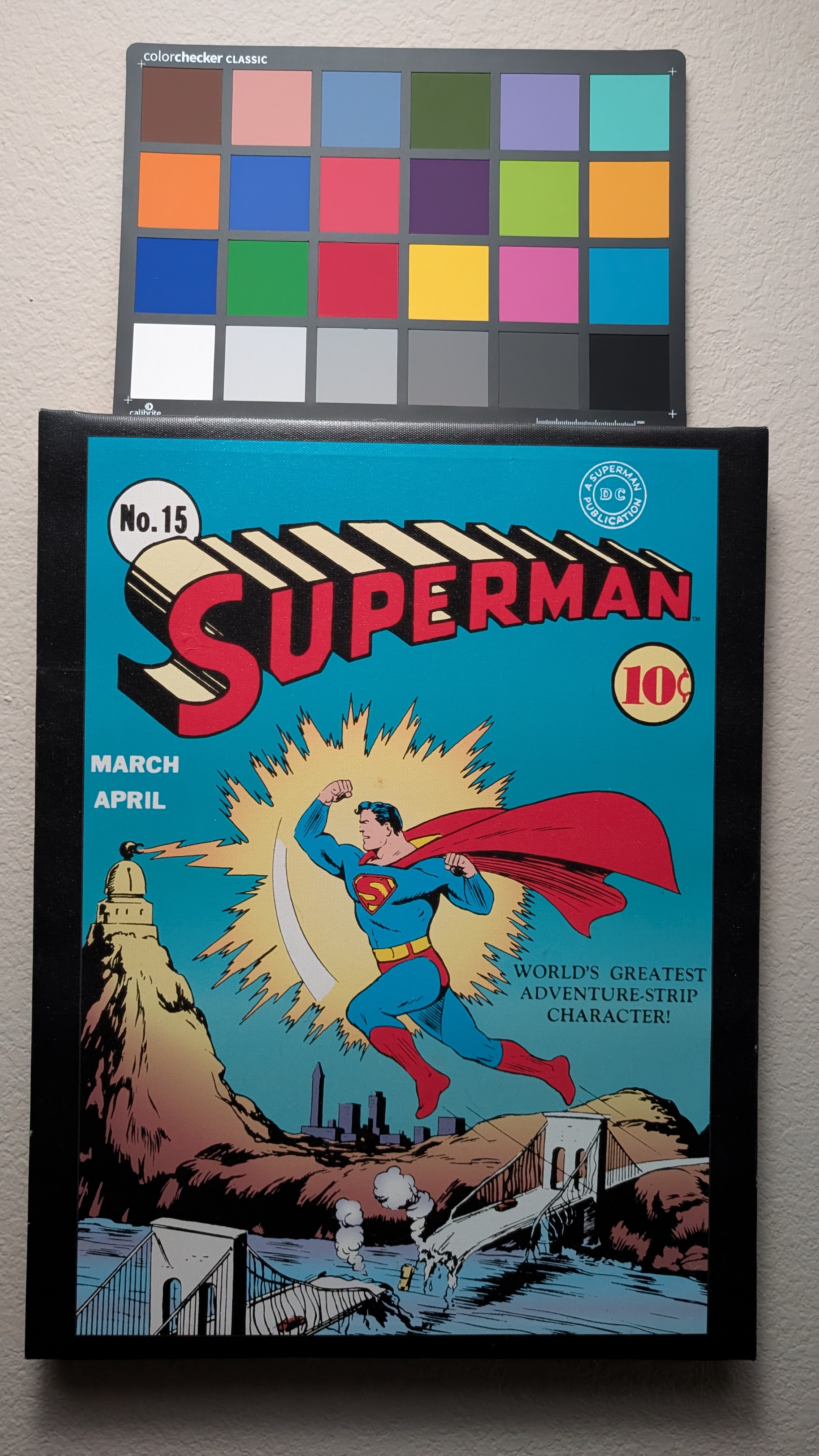
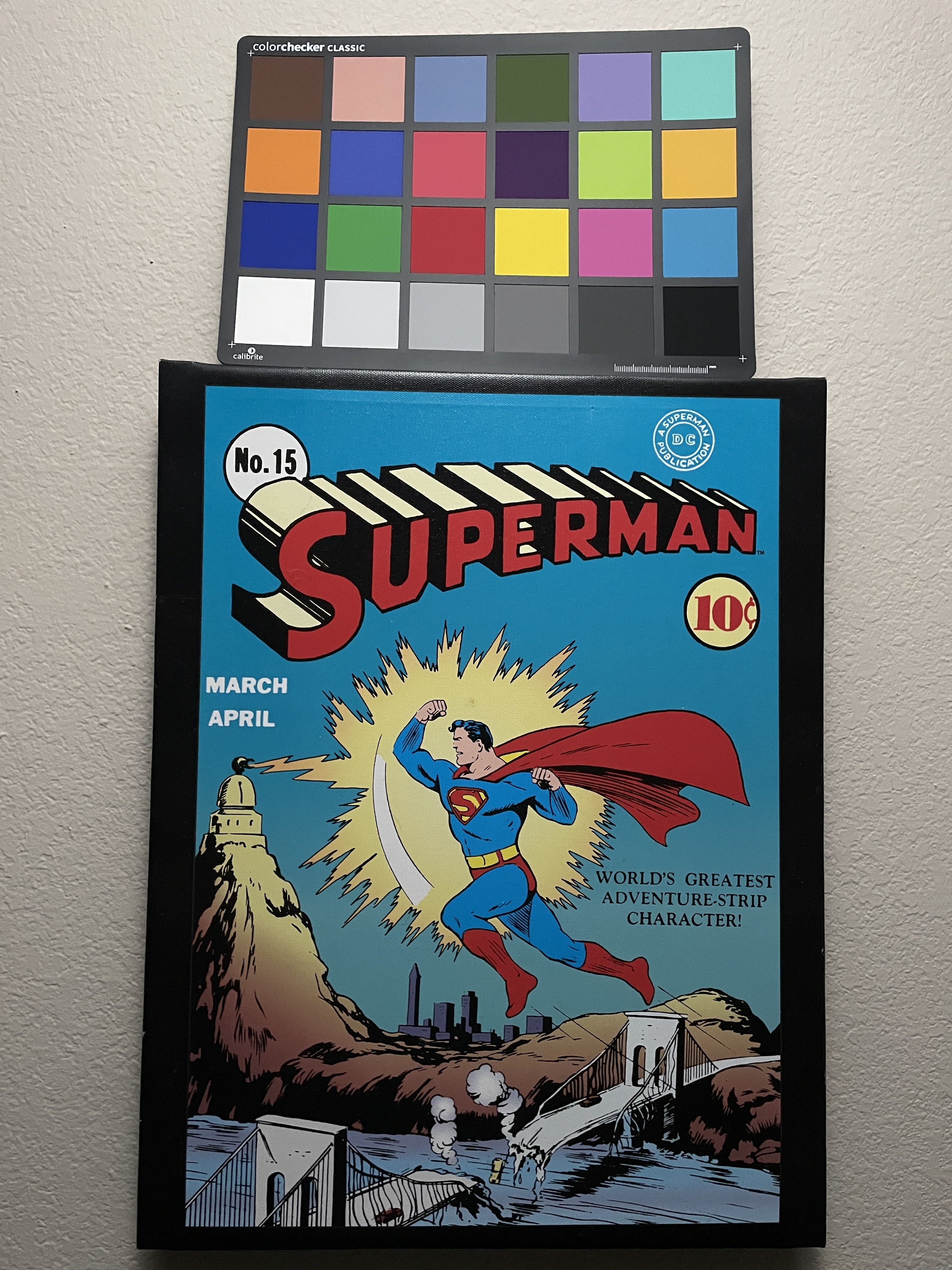
Flashlights were pointed at the ceiling and everything left on auto, Pixel 9 and Iphone 12 both have a night mode where it took 3s for the low light photos.
Normal Temp Medium Light
| FLX1s | Pixel 9 | iPhone 12 |
|---|---|---|
|
|
|
Normal Temp Low Light
| FLX1s | Pixel 9 | iPhone 12 |
|---|---|---|

|
|
|
Low Temp Medium Light
| FLX1s | Pixel 9 | iPhone 12 |
|---|---|---|
|
|
|
Low Temp Low Light
| FLX1s | Pixel 9 | iPhone 12 |
|---|---|---|

|
|
|
Battery Life
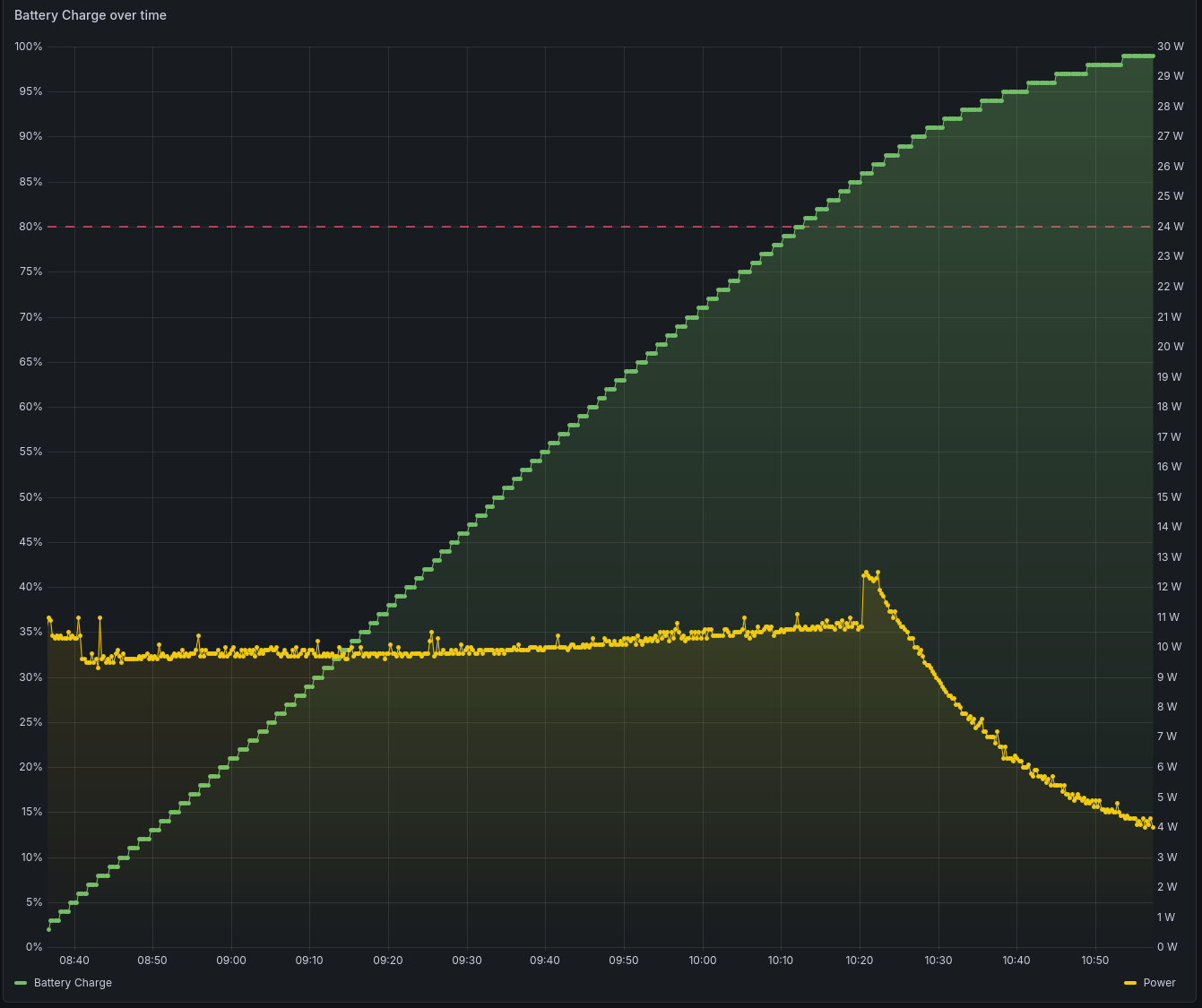
The phone has amazing battery life with the screen on and on standby. Standby is also different from the mainline devices as it does not use deep sleep. Instead it uses a low power mode, this allows it to continue running applications and keep network alive. This has the major benefit of allowing you to ssh in at anytime and continue to receive notifications from all apps including web based apps. Charging speed seems to cap out at around 10w so it charges slower than the original FLX1 and would be out of the quick charge category for me but it charges good enough for overnight charging and the usage battery is way more than enough to get you throughout the day, minimizing the need for quick top ups throughout the day.
Testing was done using the following settings:
- Screen brightness set to 50%
- Screen timeout disabled
- Measured from 100% battery to device shutdown
- Without android unless specified
- With sim unless specified
- With Wifi enabled
- Video playback is 720p 30 fps no audio
- Charge time tested on pinepower v1 desktop
- Prometheus polling
- Standard: every 15 seconds
- Standby: every 30 minutes
Screen Time
| Method | Battery Life | Drain Per Hour |
|---|---|---|
| Screen on | 15.00 hours | 6.67% |
| Screen on + Android | 14.06 hours | 7.11% |
| Screen on + Stress CPU | 5.70 hours | 17.54% |
| Screen on without sim | 12.60 hours | 7.93% |
Video Playback
| Method | Battery Life | Drain Per Hour |
|---|---|---|
| MPV | 8.40 hours | 11.90% |
| Firefox | 8.62 hours | 11.61% |
| Andromeda Firefox | 8.67 hours | 11.54% |
Standby
| Method | Battery Life | Drain Per Hour |
|---|---|---|
| Standby | 7.23 days | 0.58% |
| Standby + Android | 3.88 days | 1.07% |
| Standby without sim | 8.54 days | 0.49% |
Charging
| Method | Charging Time |
|---|---|
| Charge 0-80% | 95 mins |
Charging Curve
- Measured from Sonoff S31 running esphome
Support
Support from FuriLabs has been outstanding. They are all constantly in the telegram group so when issues are discovered by endusers and they mention it in the chat they are able to immediately replicate it on their side so they can troubleshoot and fix it. They also have a great system to allow users to test fixes similar to Ubuntu Touch where there is a new repository for each fix that the user can install and uninstall. While UT requires the user to use the terminal to install said repository the FuriLabs folks have instead decided to create a GUI so even users that are terminal shy can test fixes and provide feedback. Overall getting ahold of them and getting software support from them is amazing. While I have no experience when it comes to hardware support, looking at the telegram chat it seems like they are more than willing to replace any phones that have hardware issues such as the ones affected by the bad flash led.
Conclusion
This is a great device for the price when you consider both performance and support. The phone has just gone through its first set of updates with tons of fixes and improvements compared to out of the box. Since it is still very new there are issues that are appearing that the team is working through fixing. The phone is great to use and the battery life is amazing. The camera works and is decent in normal conditions but seems to struggle in low temperature and low light conditions so in this regard it falls behind the original FLX1. The other downside is the lack of software support for other OSes and DEs but that is expected with a halium devices but it does seem to be improving with a version of gnome working as that is used by the docking system. The quality of the devices coming out of the factory for the initial batch seemed to have some cosmetic issues with some users having some of the screen glue seeping out and others with small cracks in the frame but the team is currently looking into those and will hopefully be able to work with the factory to reduce those problems. The quality of the plastic used for the house also doesn't scream quality but its the kind of thing you would not notice once the phone is in a case, which is a lot easier to do as it is not as thick as the original FLX1. Even with those caveats it is still a great device to use and I would easily recommend it to anyone looking for a linux phone that is usable as of today as long as you are ok with the limitations/ethos of a halium device.
My Involvement / Disclosures
I've followed Bardia, the CEO, development over the years across different devices prior to founding FuriLabs, while he was working on Droidian. While he was working on droidian, I financially donated to him in order for him to acquire hardware. I have purchased the FLX1 as soon as it was available for purchase and have daily driven it since I have gotten it.
The FLX1s was sent to me for free for assisting in development and review but this is all my own information and opinions. I do minimally contribute to their development, mostly on the user side of things like their gallery app, bootman and andromeda system. Everything I've contributed on the software side is open in my Github and tagged as such on their official repos. I also currently participate in their software QA testing prior to its public release when I have time. My FLX1s is also available for them to utilize for developing and testing fixes for US specific problems that they are unable to replicate in their country such as the modem 5g issues that exist in the US but work for them in Canada and Spain.